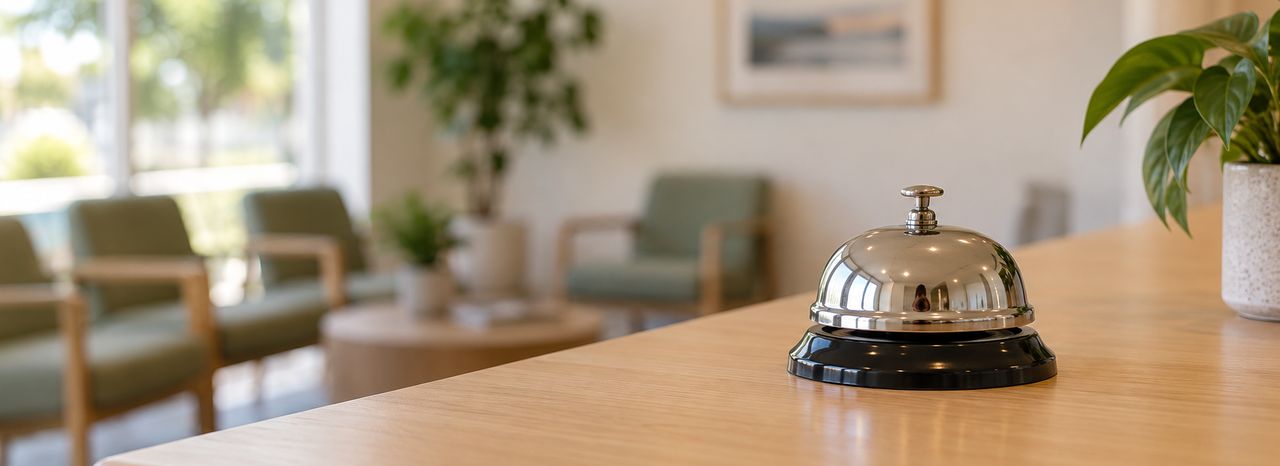
AI phone receptionist for Australian GP and specialist practices
Your practice’s phone, answered after hours.

Counterbell answers your practice’s own number when you’re closed. It tells callers it’s an automated assistant, takes their message, and puts it on your front desk’s call-back list for the morning. It never gives medical advice.
In development. We’re inviting our first Perth practices now.
- Handled in PerthCalls are handled on our own servers in Burswood.
- No audio keptCalls are turned into text as the caller speaks.
- No medical adviceClinical questions become a message for your team.
- Your phones still workIf Counterbell can’t answer, the call goes to your own phones.
How a call works
From a call at 7:40 pm to a call-back at nine.
Four steps on the real staff page. Choose a step to see it. The practice and patients are made up.
-
A patient calls after hours
The patient rings your usual number. Your phone system sends the call to Counterbell at the times you choose.
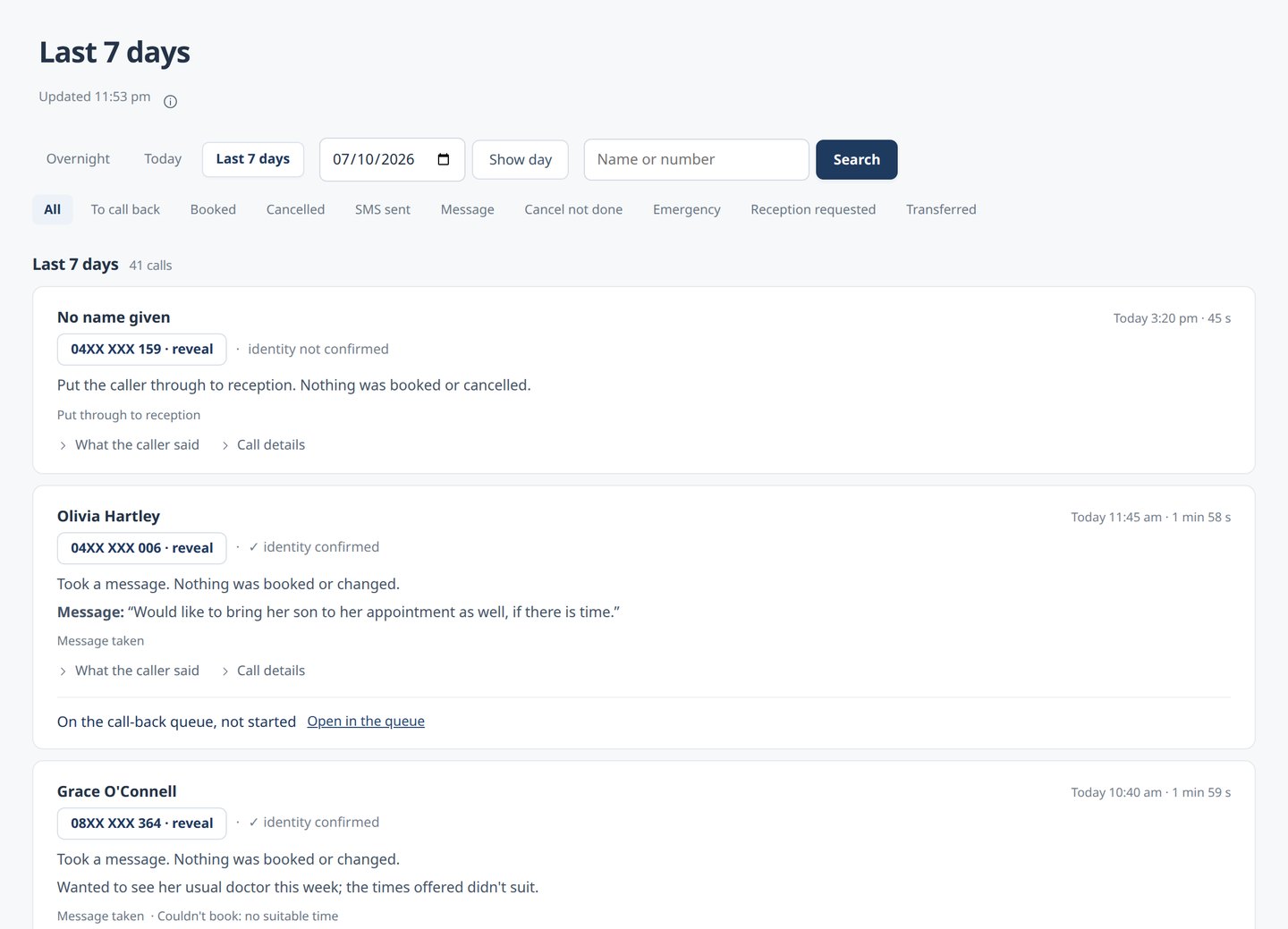
Every call is in the call log, with what happened on it. -
Counterbell answers and takes the message
It says it’s an automated assistant, listens, and takes a message or a booking request. Your team confirms bookings with the patient.
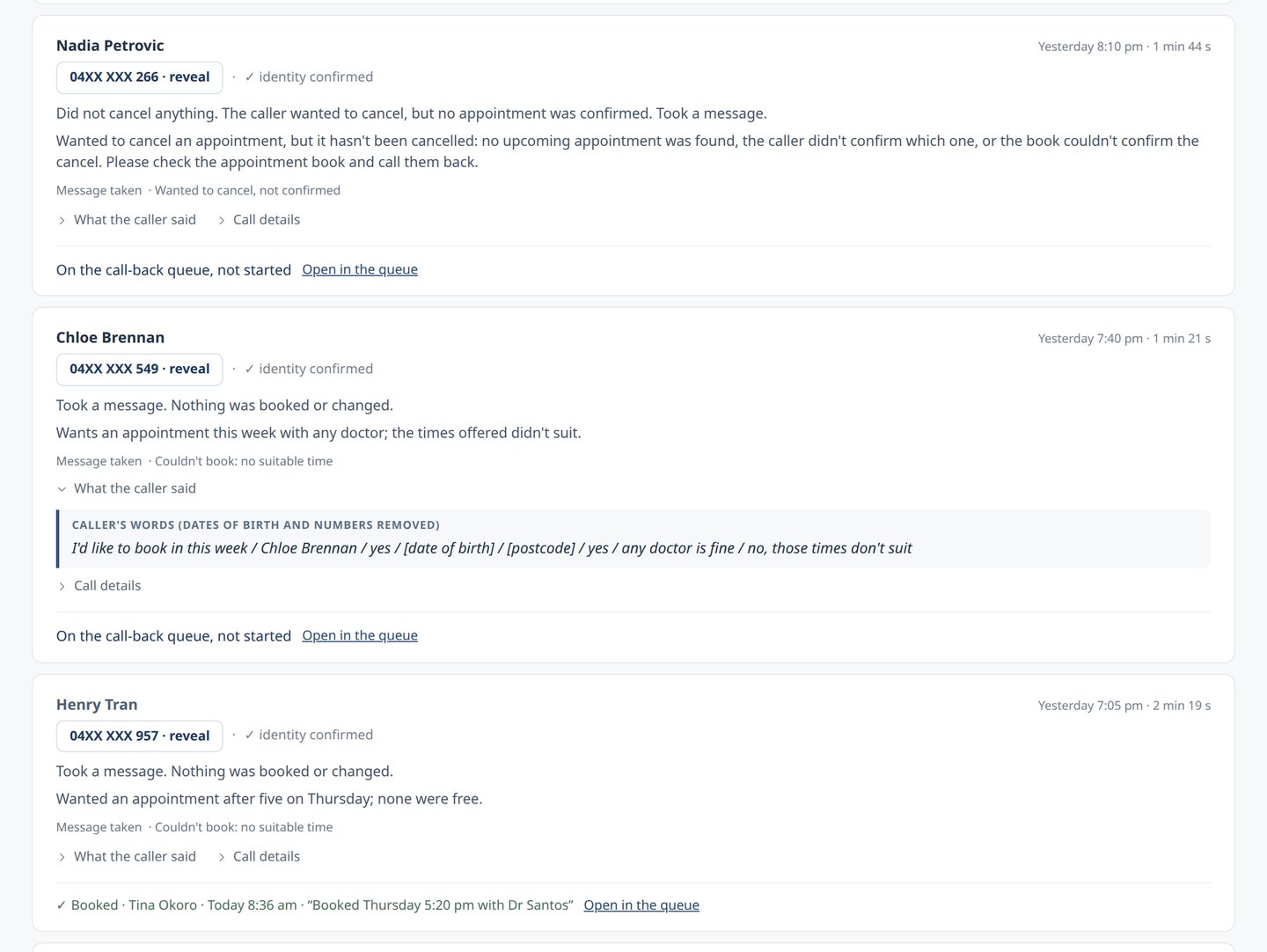
What Counterbell did, and the caller’s own words. -
It lands on your call-back list
When you open, each call is waiting on your To do list: who called, what they wanted and what happened. Callers who rang more than once come first, then the oldest.
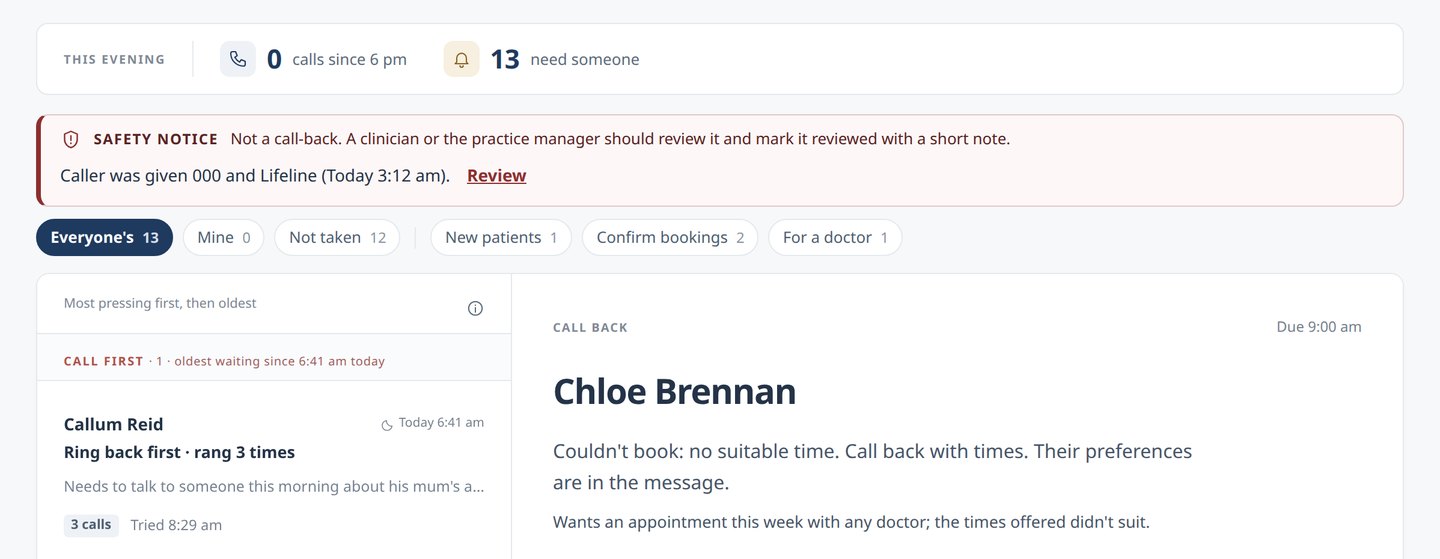
Each call-back says who called and what they need. -
Reception calls back, and it’s done
A receptionist takes the call-back, rings the patient and records how it went. It moves to Done today.
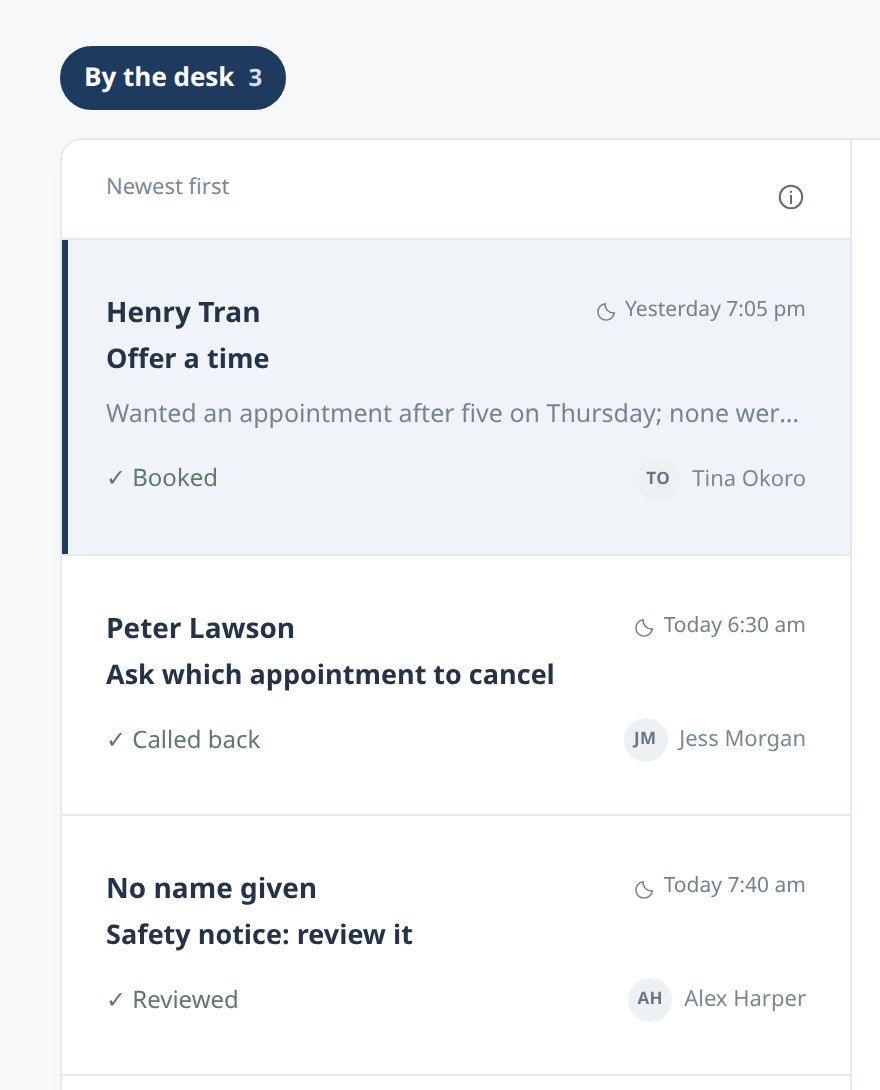
Done today: who handled each call, and how it ended.
What the caller hears
After hours, a calm voice that says what it is.
An example call to our demonstration line. These are Counterbell’s own words. The practice and caller are made up.
- Counterbell
Thanks for calling Harbour View Family Practice. You’ve reached the practice’s phone assistant. This call is answered by an automated system, and is transcribed.
- Counterbell
I can help you book or cancel an appointment, or take a message for the practice team. How can I help you this evening?
- Caller
Am I talking to a robot?
- Counterbell
Yes, I’m the practice’s AI receptionist, so you’re speaking with an automated assistant, not a person. If you’d rather speak with someone, I can take a message, and the practice team will call you back. Otherwise, I can book or cancel an appointment for you. How can I help?
- Caller
I’ve got an appointment on Friday but I need to change it to next week.
- Counterbell
I can’t move an existing appointment on this line just yet, so I’ll take a message for the practice team and they’ll call you back to rearrange it. Please tell me which days and times suit you.
Read the rest of the call
- Caller
Any morning next week, except Monday.
- Counterbell
Thanks. And can I take your name, please?
- Caller
Jordan Lee.
- Counterbell
And is the number you’re calling from the best one for the practice to call you back on?
- Caller
Yes, it is.
- Counterbell
I’ll pass your message to the practice team first thing in the morning. Is there anything else I can help you with?
- Caller
No, that’s all, thanks.
- Counterbell
Thanks for calling. Goodbye.
What your team sees next morning
A call-back to ring Jordan about changing the appointment, with Jordan’s preferred times and number.
Why it talks this way
- Every line is a set script, a line your practice approved, or a read-back of what the caller said.
- It never says something is booked unless it is.
- It never reads out anything from a patient’s record.
- It understands English. Callers who need an interpreter can ring TIS National on 131 450.
Our demonstration line can book into a sample appointment book. At your practice, booking requests go to your team.
Safety
What Counterbell never does.
It’s a receptionist, not a clinician.
- No medical advice. Questions about symptoms, results or medicines become a message for your team.
- No triage. It doesn’t assess symptoms or decide how urgent something is.
- No guessing. If it isn’t sure, it takes a message and notes what happened.
- No pretending to be a person. Every call starts by saying it’s automated.
If a caller uses emergency words
Words like “chest pain” or “can’t breathe” are checked first, at any point in the call. The caller hears:
“If this is a medical emergency, please hang up and call triple zero now.”
A caller who talks about harming themselves is also given Lifeline, 13 11 14.
If Counterbell can’t answer
The call goes to your own phones, as it does today.

Your practice software
Works alongside your practice software today.
Today, Counterbell takes messages and booking requests for your team. Booking straight into your appointment book is planned, with your software vendor’s approval.
-
Today
Any practice software
Booking and cancellation requests come to your team to confirm with the patient.
-
Planned
Booking into your practice software
We’re working on booking and cancelling straight into the main practice systems. Each one needs the vendor’s approval.
What it will read from your practice software
Only what a call needs, such as free appointment times and who is calling. Never clinical notes, results or medications. More detail.
Privacy and security
Your patients’ information stays close to home.
Processed in Perth
Speech recognition, the voice and the language model run on our own servers in Burswood, Perth.
No audio kept
Calls are turned into text as they happen. The text record is kept for 30 days by default, then deleted automatically, with dates of birth and phone numbers removed. A practice can choose a longer period.
Never used for training
Call information is never used to train AI, never used for marketing and never sold.
You see who looked
Everyone has their own sign-in with two-step verification, and every view is in an access log your practice manager can read.
Getting started
Going live usually takes a few hours.
We set it up in a few hours, and your phone provider switches on the divert. Your number doesn’t change, and there’s nothing to install.
Before our first practice goes live, a practising GP will sign off what Counterbell says on calls.
A walkthrough
We show you the staff page, play you a call and answer your questions. You: about 30 minutes.
A short questionnaire
Your hours, what callers should hear about the practice, your fallback number and who needs a sign-in. You: about 20 minutes.
We set it up
Your practice’s settings, its own number on our system, and a sign-in invitation for each person on your team. Us.
We test it with you
Test calls, including the emergency line, and a check that calls go to your own phones when Counterbell is switched off. Us, with you.
The divert goes on
Your phone provider sends calls to Counterbell at the times you choose. If we look after your phones, we do it. A few minutes.
Your first morning
Your team works the call-back list, and we check in with you over the first weeks. Together.
To stop, remove the divert and your phones ring as before.
Where we’re up to
What works today, and what’s coming.
Counterbell is in development, and no practice is live yet. Everything under Today works on our demonstration line.
Today
- Answering, with the automated-assistant notice on every call
- Messages and booking requests for your team
- Emergency and crisis lines
- Putting callers through to reception in opening hours
- Taking over a call from the staff page
- The staff page: call-back list, call log, access log and two-step sign-in
- A test call every 15 minutes
In progress
- Booking and cancelling in your practice software, with the vendor’s approval
- Our first practices
- An independent security review
- Appointment texts through an Australian provider
Planned
- Picking up during opening hours when your reception lines are busy
Who’s behind it
Made in Perth by people who already look after practices.
Counterbell is built and run by Skycomm, a Perth IT company that has looked after medical practices since 2013. The same team runs Counterbell, on hardware we own in Perth. When something needs fixing, you’re talking to the people who built it.
Can a caller reach a person?
After hours, it takes a message for the morning. If you send it calls during opening hours, a caller can ask for reception and be put through. Your staff can also take over a call from the staff page.
Does it book appointments?
Not yet. Booking requests come to your team as call-backs. Booking straight into your practice software is planned, with the vendor’s approval.
What does it do with clinical questions and emergencies?
It doesn’t answer clinical questions. It takes a message for your team. If a caller’s words suggest an emergency, it tells them to hang up and call triple zero.
What if Counterbell is down?
The call goes to your own phones, as it does today. We place a test call every 15 minutes and are alerted if something’s wrong.
Do we need new phones or a new number?
No. Your phone provider diverts calls to Counterbell at the times you choose.
Is anything installed on our computers?
No. The staff page runs in a web browser, on a computer or a phone.
What happens when we open?
Calls stop going to Counterbell at the time you set, and the calls it took are already on your list.
If it gets something wrong, who is responsible?
We’ll take you through our agreement, including who is responsible for what, before you sign anything.
What does it cost?
We’ll go through it with you on a walkthrough. There’s no lock-in.
How do we stop using it?
Remove the divert and your phones ring as they did before. You get a copy of your call records, and then we delete them.
See it for yourself
Hear a call.
See the morning list.
A walkthrough takes about 30 minutes. We’ll show you the staff page, play you a call, and answer your questions.